
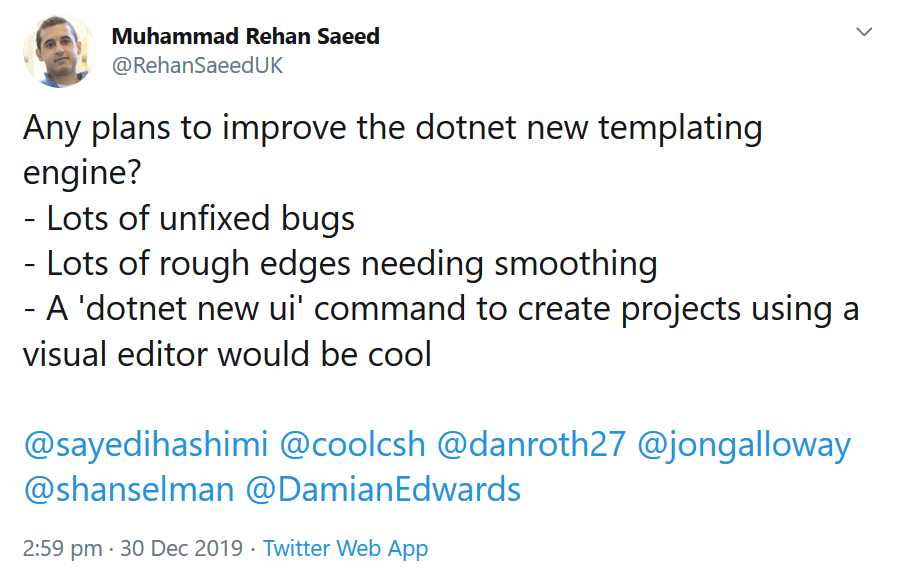
The 'dotnet new' CLI command is a great way to create projects from templates in dotnet. However, I think it could provide a much better experience than it currently does. I also suspect it isn't used much, mostly because templates authored for the dotnet new experience are not included in the Visual Studio File -> New Project experience. For template authors, the experience of developing templates could do with some improvements. I tweeted about it this morning and got asked to write a short gist about what could be improved, so this is that list.
Why do I Care?
I author a Swagger API, GraphQL API, Microsoft Orleans and NuGet project templates in my Dotnet Boxed project. The project currently has 1,900 stars on GitHub and the Boxed.Templates NuGet package has around 12,149 downloads at the time of writing. The Dotnet Boxed templates are also some of the more complex templates using dotnet new. They all have a dozen or more optional features.
Visual Studio Integration
In the past, I also authored the ASP.NET Core Boilerplate project templates which are published as a Visual Studio extension. This extension currently has 159,307 installs which is an order of magnitude more than the 12,149 installs of my dotnet new based Boxed.Templates NuGet package.
I have read in the dotnet/templating GitHub issues that there is eventually going to be Visual Studio integration in which you'd be able to search and install dotnet new based templates on NuGet, and then create projects from those templates much as you would with Visual Studio today. Given the download counts of my two projects, this would be the number one feature I'd like to see implemented.
You could create a Visual Studio extension that wraps your dotnet new templates but having messed around with them in the past, it's a lot of effort. I'm in the template making business, not in the extension making business. Also, given the above rumour, I've held off going this route.
NuGet/Visual Studio Marketplace Integration
Currently there is no way to search for a list of all dotnet new based project templates on NuGet or on the Visual Studio marketplace. There is this list buried in the dotnet/templating GitHub project but the only people who are going to find that are template authors. It would be great if there was some kind of marketplace or store to find templates, rate them, provide feedback etc.
dotnet new ui
If you've seen the Vue CLI, it has a magical UI for creating projects from it's template. This is the benchmark by which I now measure all project creation experiences. Just take a look at it's majesty:
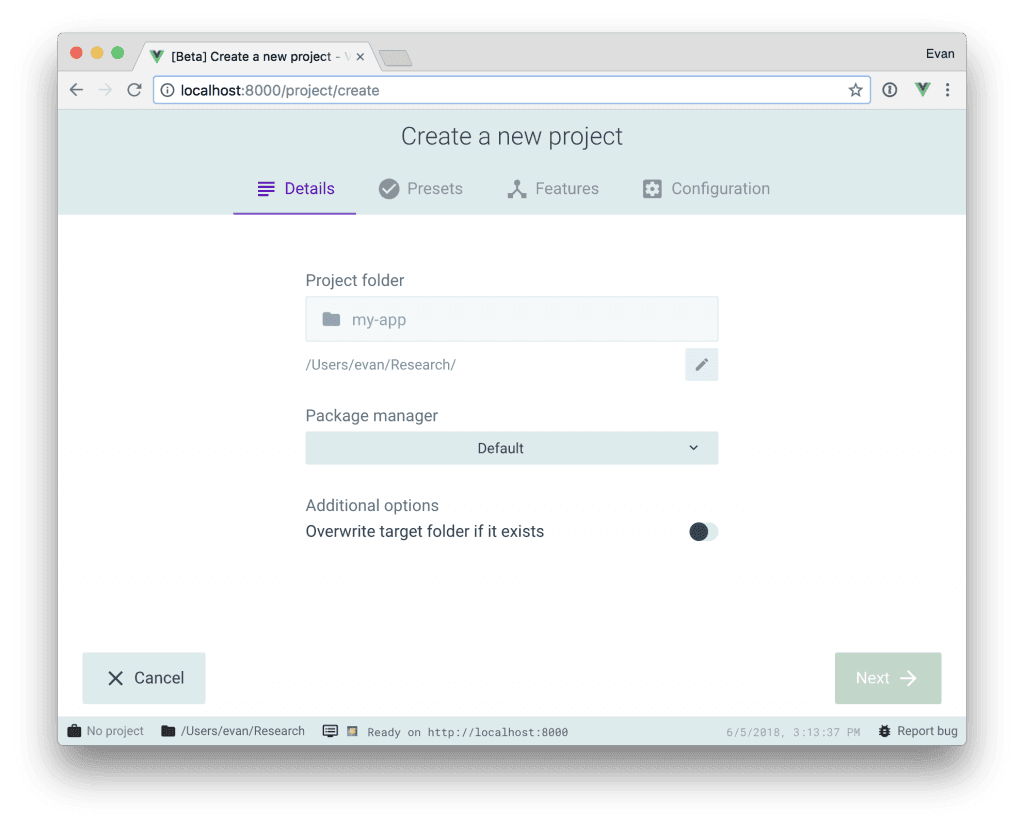
Imagine executing dotnet new ui, then seeing a nice browser dialogue popup like the one above where you could find, install and even create projects from templates. Creating a project would involve entering the name of your project, the directory where you want it to be saved and then toggling any custom options that the project template might offer.
That last bit is where having a UI shines. There aren't many dotnet new templates that use the templating engine to it's full potential and have additional optional features. When you use the current command line experience it's unwieldy and slow to set custom options. Having a custom UI with some check boxes and drop downs would be a far quicker and more delightful experience.
Missing Features
There are a bunch of cool missing or half implemented features in the dotnet new templating engine that could use finishing. Chief among these are called post actions. These are a set of custom actions that can be performed once your project has been created.
As far as I can work out, the only post action that works is the one that restores all NuGet packages in your project. This was implemented because the basic Microsoft project templates wanted to use them but I understand that they no longer do for reasons unknown to me. Happily I still use this one and it works nicely.
Other post actions that are half implemented (They exist and you can use them but they just print content to the console) are for opening files in the editor, opening files or links in the web browser or even running arbitrary scripts. The last one has the potential for being a security risk however, so it would be better to have a health list of post actions for specific tasks. I'd love to be able to open the ReadMe.md file that ships with my project template.
In terms of new post actions, I'd really like to see one that removes and sorts using statements. I have a lot of optional pieces of code in my project templates, so I have to have a lot of #if #endif code to tell the templating engine which lines of code to remove. It's particularly easy to get this wrong with using statements, leaving you with a fresh project that doesn't compile because you've removed one too many using statements by accident. To avoid this, I created my own unit testing framework for dotnet new projects called Boxed.DotnetNewTest.
Docs, Docs & Docs
There is one page of documentation on how to create project templates in the official docs page. There is a bunch more in the dotnet/templating wiki and some crucial bits of information in comments of GitHub issues. In particular, there is precious little information about how to conditionally remove code or files based on options the user selects. There is also very little about post actions. It would be great if this could be tidied up.
Secondary to the docs is the GitHub issues . There are currently 168 open issues with a large number having only one comment from the original author. Given the lack of documentation, having questions answered is really important.
Fixing Bugs
The latest version of the dotnet CLI has fixed some bugs but there are still a few that really get in the way of a great experience:
- #1544/#348 - Running
dotnet new foo --helpoutputs some pretty terrible looking text if you have any custom options. - #2208 - You cannot conditionally remove text from a file if it has no file extension, so that means
Dockerfile,.gitignore,.editorconfigfiles. - #2209 - Complex conditionals fail if not wrapped in parentheses. I always forget to do this. There is no warnings, your template won't work.
- #1438 - Using conditional code in
.csprojfiles requires some workarounds to work.
Conclusions
The Vue CLI has really shown how great a new project creation experience can be. With a bit of work, the dotnet new experience could be just as great.
Comment
3 Comments
Hi! I'm the PM for the CLI/SDK.
dotnet newis a very sub-optimal experience for both authors and consumers. For clarity, I am not currently the PM for templating, so I can't offer a roadmap, and these are my thoughts and not official at all. I care a lot about templates and believe they can be the star of the dotnet world as opposed to seeming an afterthought - my ideas parallel yours, so I'll just highlight the differences. The lack of unification between Visual Studio anddotnet newis a real pain point for everyone, it's not easy to fix.One thing in flight is work on NuGet to support package type search. I've been pushing this for.NET (global) tools, but I believe we will also see this for templates at the same time. This also opens up auto-complete on
dotnet new --install. (And yes that syntax is weird).I would love to build a UI. I have had lots of thoughts on this, but the user experience you describe is very close. I think many people here would love to see this built, so please keep pushing us on it. I think options are important, but just having this way to find templates would be very valuable, particularly if we could manage to get them in real time with versions from both CLI and Visual Studio - we also have a problem keeping some templates up to date.
I think we moved away from restore because it automatically happens after
dotnet new. Have you tried that? User benefit from specific post-actions (like .md with help) would be helpful. In my mind, converging the experience betweendotnet newand Visual Studio templates is a very high priority, so having post-actions that feel weird in Visual Studio don't seem like a good idea. And we would carefully consider whether running arbitrary templates could be done in a safe manner.Thank you for the insight on using - I did not see that one.
I've run into the docs issue myself - I know we will only make templates great if we move the authoring experience into the "decent to great" range. It is not there now.
I hope this is just the beginning of a conversation
Thanks Kathleen! You need to introduction.
Great to hear that someone else at Microsoft who is closer to the action has similar thoughts to me.
It would already be a step forward if VS uses "dotnet new" behind the scenes for dotnet core projects. By doing so, you can easily identify the missing bits in dotnet templates to shine in a VS gui environment.